Doom Magic
A downloadable game
A C++ Game Engine — Now With Multiplayer
What started as a DOOM remake experiment has grown into a full custom engine with networked multiplayer, an event-driven entity system, 3D model rendering, save/load, an automap, and a fully automated asset vault pipeline. The goal: build a reusable, responsive FPS engine from scratch — and actually ship something with it.
Core Focus: C++17, SDL2, DirectX 11, voxel level systems, dedicated server + client multiplayer, custom MGX asset vault pipeline.
Inspired by games I love:
- StarCraft
- Data-driven workflow and level composition mindset
- Warcraft
- Archive-style asset bundling via .mgx vaults (inspired by .mpq)
- Minecraft
- Voxel world structure and propagating light behavior
- Halo CE
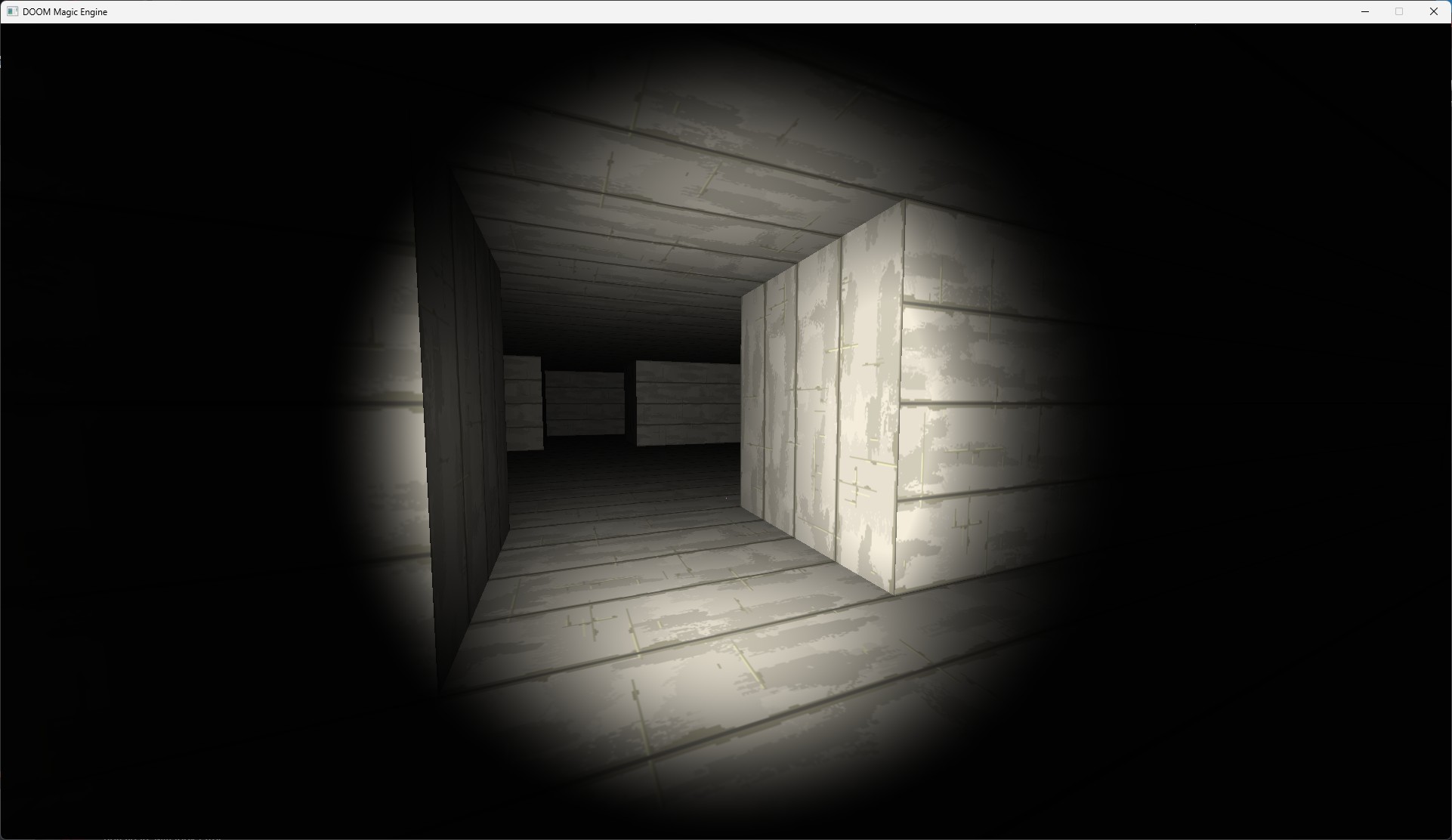
- Flashlight mood, atmospheric navigation, and co-op design goals
- DOOM
- Responsive movement feel, keycard logic, and level structure
Section Guide
- Project Overview
- Current Features
- Tech Stack
- World and Lighting
- Movement and Collision
- Entity and World Interaction
- Multiplayer
- Asset Pipeline and MGX Vault
- Saving and Progress
- Tooling and Workflow
- Controls
- Development Status
- Roadmap
Project Overview
DOOM Magic is an in-progress C++ game engine and FPS prototype. It's not a framework — every system here was written for this project, from the renderer and physics to the network layer and content pipeline. The engine now supports dedicated server multiplayer, an event-driven entity architecture, 3D model rendering, and a fully automated asset vault that packs over a thousand files at build time. The focus is on responsive feel, practical systems, and keeping the iteration loop fast.
Current Features
- Full scene flow: main menu, settings, save/load screen, and playable level
- First-person movement with mouse look, jump, gravity, and grounded state
- Ramp-aware voxel traversal with per-surface collision resolution
- Dedicated server + client multiplayer with ghost player sync, item pickup sync, and door state sync
- Client-side input prediction and server reconciliation
- Networked co-op pause (server-authoritative) and local live pause (PvP mode)
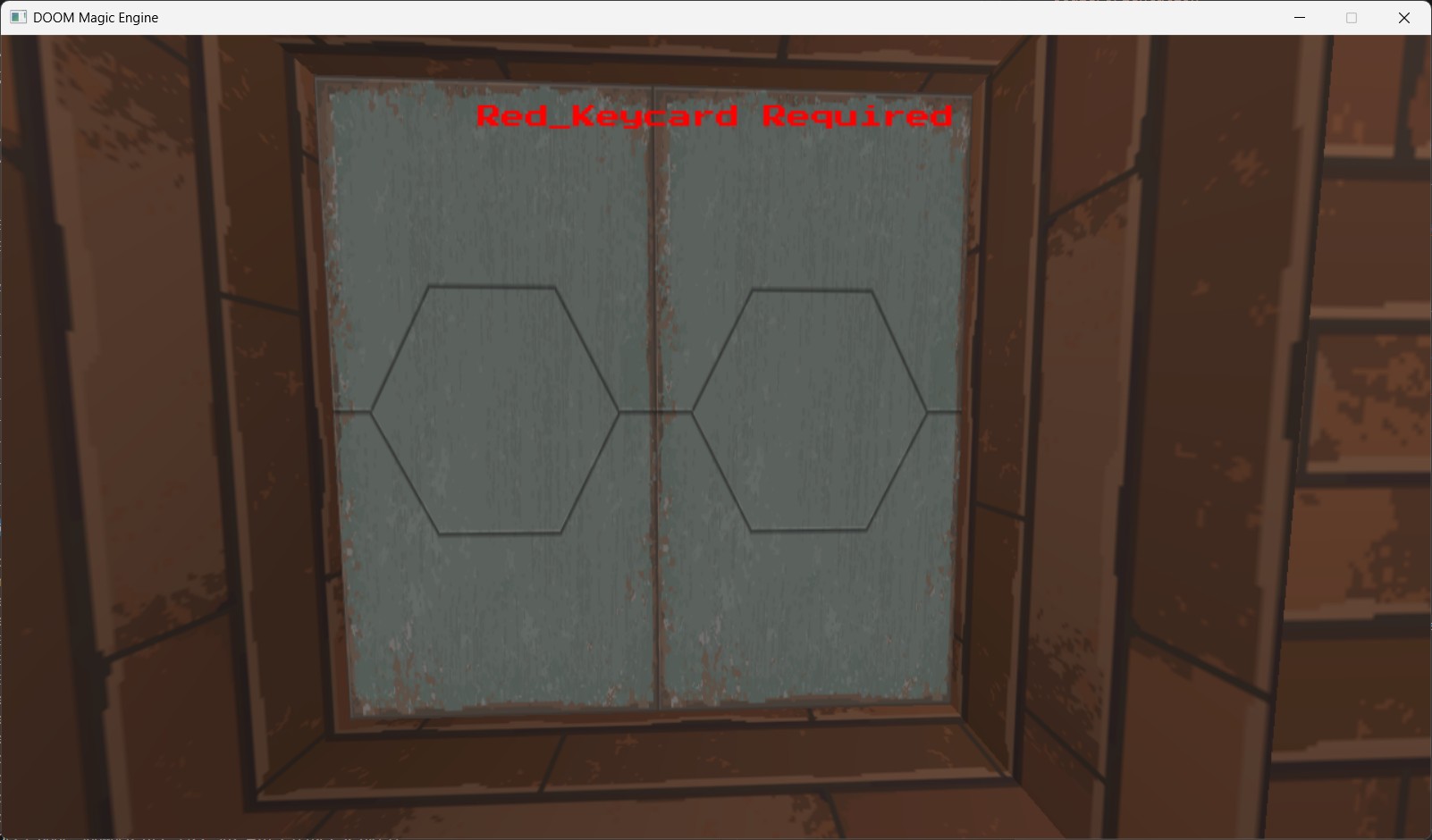
- ECA (Entity Communication Architecture) — switches, relays, sliding doors, and keycard-gated interactions
- Item pickup and inventory system (keycards, collectibles) with network tombstone sync
- Shadow rendering pass with configurable quality
- 3D OBJ model rendering pipeline (entities can carry arbitrary mesh geometry)
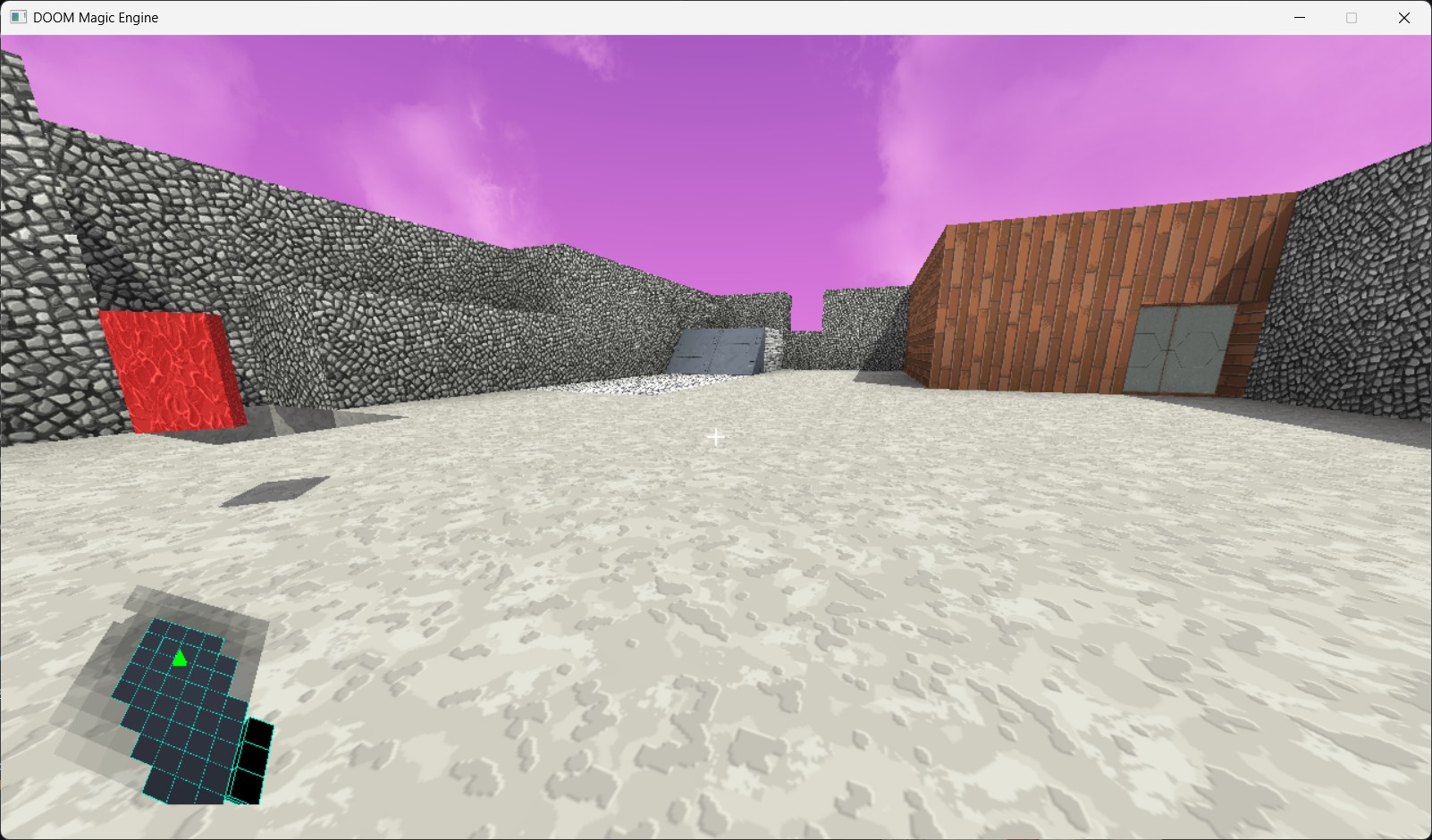
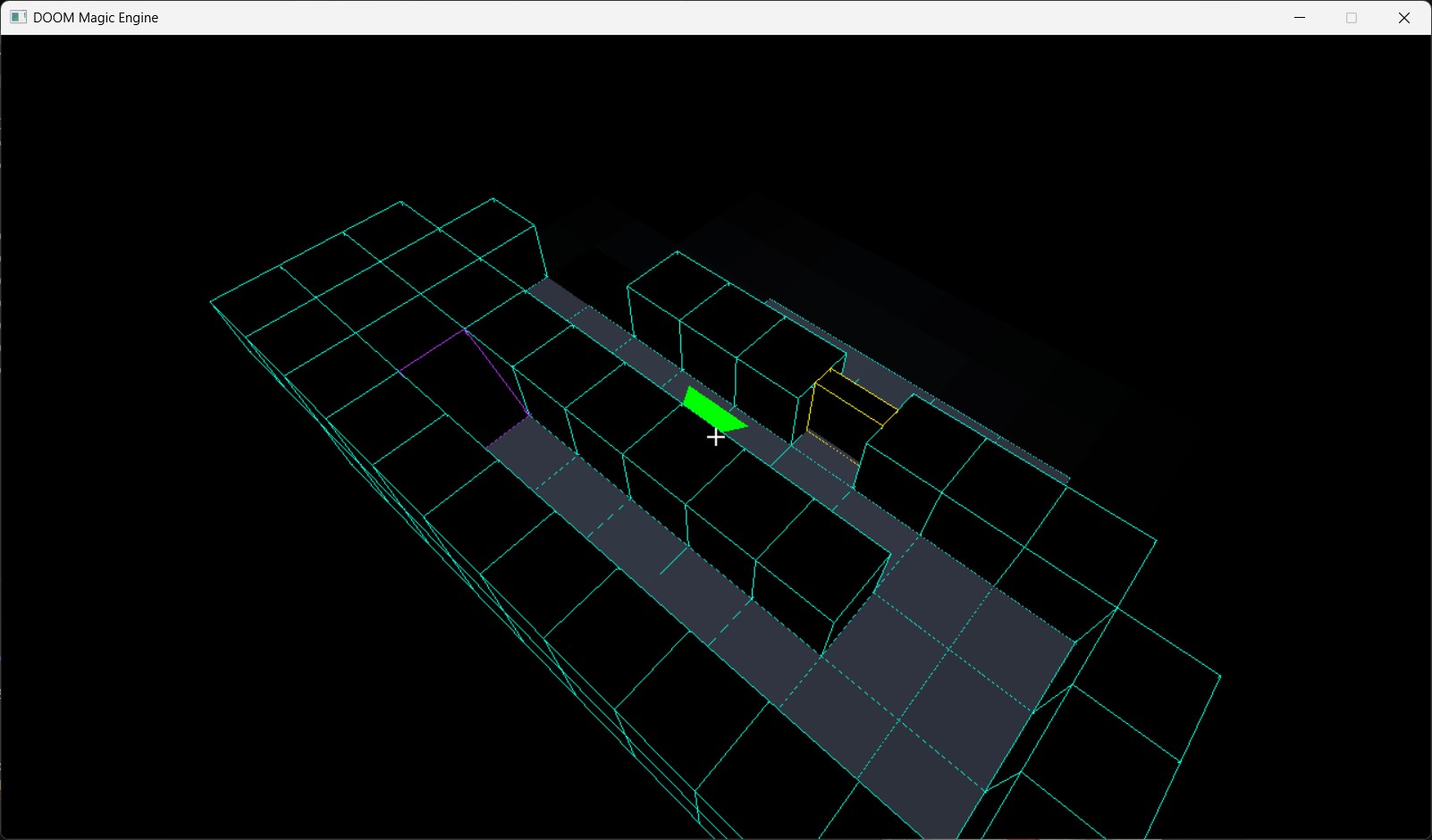
- In-game automap pass (top-down level overview)
- Save and load system with scene-backed game state serialization
- Runtime options: fullscreen, resolution, shadow quality, render distance, FPS cap
- 2D UI rendering pipeline for menus, HUD overlays, and notifications
- Streaming music with distinct tracks for menu and gameplay
- MGX asset vault with 1,096+ packed files and zero loose-file bloat in release builds
Tech Stack
- Language: C++17
- Platform layer: SDL2
- Rendering: DirectX 11 (custom geometry, shadow, model, automap, and UI render passes)
- Networking: Yojimbo (reliable UDP, secure tokens, client/server architecture)
- Audio: SDL2_mixer
- Text/UI fonts: SDL2_ttf
- Math: GLM
- Model loading: tinyobjloader (vendored)
- Image loading: stb_image (vendored)
- Serialization: nlohmann/json (vendored)
- Build system: CMake (MSVC on Windows, GCC on Linux)
World and Lighting
Levels are defined in a layered data format (.mgl) and converted into voxel geometry at load time. Each cell can be a solid wall, a ramp, a diagonal wall, or empty space — and that geometry drives both rendering and collision. Lighting uses a two-pass approach:
- Sky cast pass — seeds open-air cells with high light values from above
- Flood-fill propagation — soft falloff through non-opaque space into interiors
The result is readable contrast between open outdoor areas and enclosed tight corridors — without baking lightmaps or running real-time GI. Shadow rendering is a separate full pass with configurable quality levels.
Movement and Collision
Movement targets classic FPS feel — direct, responsive, and predictable. Horizontal and vertical collision are handled separately, which keeps wall-sliding and step-climbing smooth. Ramps use surface-height sampling so the player rides up the slope rather than snagging on the edge.
- WASD movement with optional sprint
- Mouse look with pitch clamping
- Jump and gravity integration
- AABB collision for square walls, half-plane collision for diagonal walls
- Step-height ramp climbing with per-position surface sampling
- Natural wall-sliding: no velocity zeroing on contact, just push-out
Entity and World Interaction
The engine uses an ECA (Entity Communication Architecture) system for interactive world objects. Entities can fire signals to each other, enabling wired logic without scripting. Everything is data-driven — switch targets and relay chains are authored in level metadata.
- WallSwitch: Player-interactable switch that fires a signal to a named target entity
- LogicRelay: Invisible logic node with configurable thresholds, delays, and output targeting for multi-step triggers
- SlidingDoor: Animated door that responds to both direct player interaction and relay signals; supports keycard access requirements
- ItemPickup: Adds items to the player's inventory on interaction; uses tombstone-based state to keep network sync correct
- Entity IDs: All interactive entities get deterministic coordinate-based IDs at level load, guaranteeing identical Server/Client hashes for network messages
Interaction is raycast-based: the player fires a ray forward, and the first entity it hits with an onInteract handler responds. The cross-entity signal system then propagates state changes through the wiring graph.
Multiplayer
Multiplayer is built on Yojimbo — a reliable UDP library with secure connect tokens, channel-based messaging, and a clean client/server split. The game runs as a dedicated server (headless) plus any number of connected clients. The same binary handles both: pass --server to run headless.
- Client-side prediction: Input is applied locally on the same tick it's sent; server corrects with reconciliation
- Reconciliation short-circuit: Tick gaps above 60 skip replay and snap directly to server state — no jitter after long pauses
- Ghost players: Remote players are spawned as synchronized ghost entities and rendered via the 3D model pass
- Entity state sync: Item pickups, doors, and switches broadcast state changes to all clients on interaction
- Hybrid pause: Co-op mode broadcasts a server-authoritative global pause to all clients; PvP mode uses local-only pause that keeps the simulation running
- Late-join sync: Newly connected clients receive current pause state and world entity states immediately after the spawn handshake
- Deterministic entity IDs: Coordinate-based hashing ensures Server and Client always agree on which entity a network message refers to
Asset Pipeline and MGX Vault
Every build starts by running the standalone MGXPacker tool, which recursively walks the asset directory and bundles everything into a single .mgx vault file. The vault ships with the executable. No loose files in release builds.
- 1,096 assets packed — textures, shaders, audio, fonts, and level files in one ~80 MB vault
- Relative path keys — assets addressed by path (e.g.
textures/Bricks/wall01.png) to prevent naming collisions across subcategories - Loose file fallback — runtime checks the asset directory first, then the vault; hot-reload during development without a rebuild
- Type-safe asset enums —
TextureId,ShaderId,LevelId,MusicIdenums replace all hardcoded path strings; the compiler catches stale references - CMake PRE_BUILD integration — vault is regenerated automatically before every compile; no manual packing step needed
Saving and Progress
The engine includes a dedicated save/load scene with slot-based save management. Game state is serialized through the ISerializable interface — entities, inventory, and world flags all participate in the same snapshot. The save/load screen is accessible from both the main menu and the in-game pause menu. Co-op loading is determined by the host, but a joined player may receive the quicksave state for themselves to use later.
Tooling and Workflow
- --smoke-test mode: headless boot path that initializes all systems, validates vault load, and exits cleanly — used for CI-style checks
- F5 hot-rebuild: triggers a renderer pipeline rebuild at runtime without restarting — fast HLSL shader iteration
- Config-driven startup: resolution, FPS cap, render distance, shadow quality, and network mode all read from settings.ini
- Docker image for headless Linux server builds
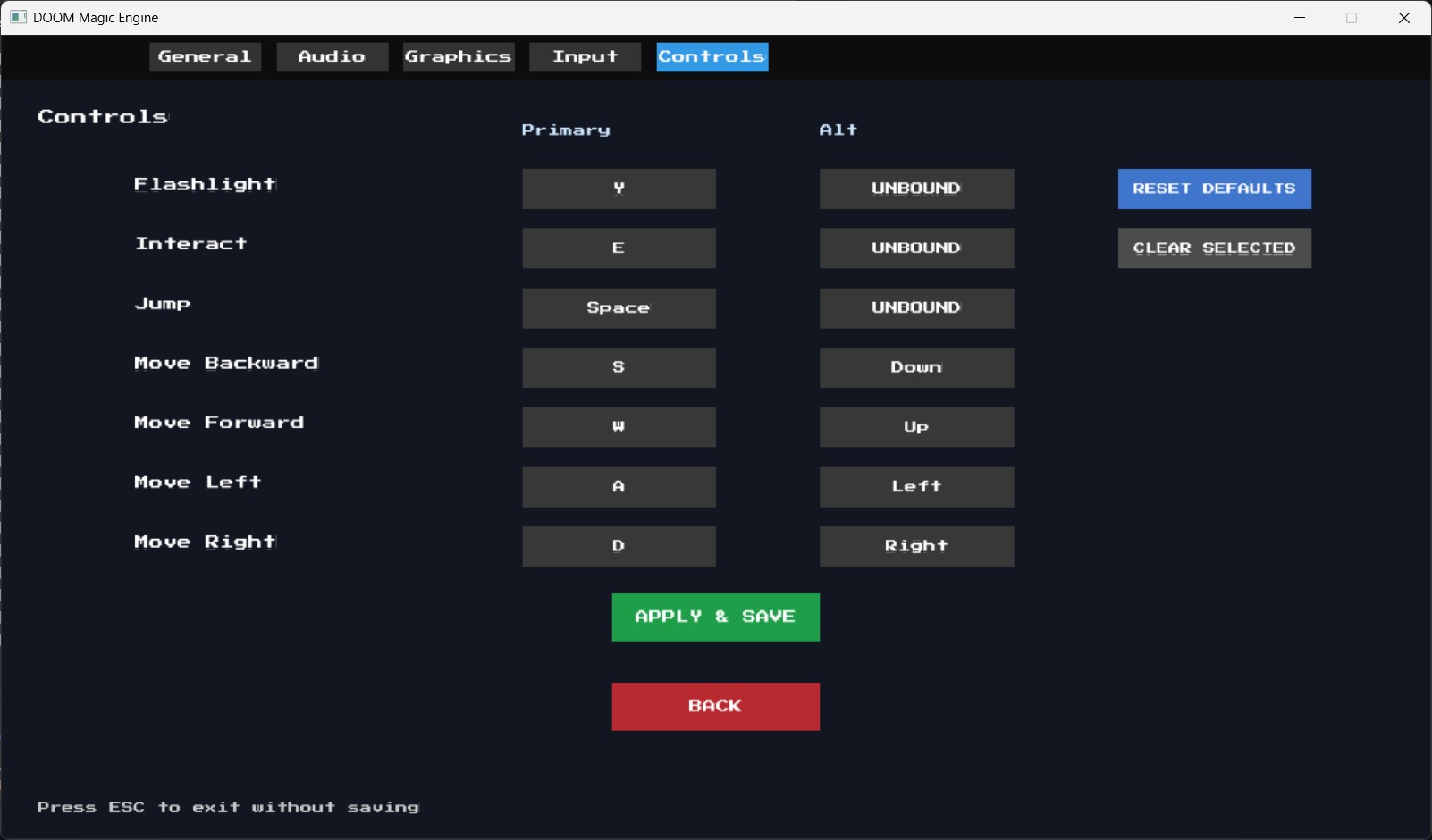
Controls
- Move: WASD
- Look: Mouse
- Jump: Space
- Interact: E
- Toggle flashlight: F
- Pause / Menu: Escape
- Rebuild renderer pipeline: F5
- QuickSave: F9
- QuickLoad: F10
Development Status
Active development. The engine core is solid — rendering, physics, networking, ECA, and the asset pipeline are all running. The current focus is expanding authored content (more levels, more encounters) and tightening gameplay feel. Multiplayer is functional and being tested; it's not a polished lobby experience yet, but the underlying netcode is sound.
Roadmap
- More authored levels and encounter design — the engine needs content to show what it can do
- Enemy AI and combat feel
- Weapons system with proper projectile or hitscan handling
- Multiplayer lobby and matchmaking flow (connecting without editing config files)
- Richer material and texture authoring for voxel geometry and ramps
- HUD polish: ammo, health, inventory readout, and keycard indicators
- Continued iteration on lighting, atmosphere, and overall game fee
Download
Install instructions
download zip
extract
run doom-magic.exe
Leave a comment
Log in with itch.io to leave a comment.